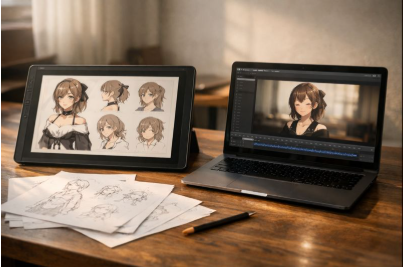
I’ve lost count of how many times I’ve started a character idea with real momentum—clean sketch, strong silhouette, a face that finally feels right—only to stall when it comes time to animate. Not because I don’t like the animation side, but because it asks for a different headspace: rigging decisions, deformation cleanup, tiny fixes that take an hour and somehow still look “off” when you export. Here is the discussion of OCMaker AI Review: Live2D-Style Motion I Can Actually Finish in a Week.
That’s why I paid attention to AI OC maker in the first place. I wasn’t looking for a miracle. I wanted a dependable shortcut for the messy middle: the moment between “I have a character” and “I have a loop that looks alive enough to post, pitch, or test.”
I approached it the way I’d approach any tool I might actually use again. I tried to break it in predictable ways, took notes on what caused problems, and looked for the patterns that separate a quick demo from a workflow that holds up once the novelty wears off.
The thing it helped me with most: momentum
When OCMaker works, it’s not because it invents something wildly new. It’s because it keeps me moving. Instead of spending a whole evening setting up a rig just to see whether a character “reads” in motion, I can get a usable loop fast, spot what’s wrong, and iterate while the idea is still fresh.
For me, that lands in three practical situations:
- I want to see if a character’s expression range works in motion (especially eyes and mouth).
- I need a short loop for content—an avatar idle, a reaction beat, a simple breathing/sway.
- I’m exploring variants (hair shape, accessories, outfit contrast) and I don’t want to animate each version manually.
What it doesn’t do is compensate for weak source art. If my input is muddy—soft face details, messy edges, confusing hair silhouette—the motion doesn’t hide that. It makes it more obvious. That sounds harsh, but I actually prefer that kind of honesty. It means the tool isn’t “lying” to me with pretty still frames.
Why the Live2D angle matters (even if you’re not a Live2D expert)
Manual Live2D is powerful because it’s deliberate. You decide what bends, what stays rigid, how hair strands lag, how the head turns without the face sliding. You also pay for that control with time, practice, and a lot of micro-decisions.
OCMaker’s Live2D-style approach feels like it’s trying to give me enough of the Live2D vibe expressive, character-focused motion without requiring me to build a whole rigging project first. That’s the part I cared about. I’m not always making a “main character for a year-long series.” Sometimes I just need motion that feels human and consistent.
When I want to specifically test that workflow, I go through the Live2D generator path here: AI live2D generator.
A simple way I compared options (so I wasn’t judging unfairly)
I kept this mental table handy, mostly to avoid comparing apples to oranges:
| Approach | What it gives me | What it costs me | What I use it for |
| Manual Live2D rigging | Maximum control, “studio” polish | Time + skill + lots of tweaking | Flagship characters, long-term projects |
| Template animation apps | Speed, predictable outputs | Same-y motion, limited style range | Quick social loops, low-stakes content |
| OCMaker (Live2D-style assist) | Fast iteration + flexible results | Needs clean inputs; occasional artifacts | Prototyping, creators, small teams |
That last row is where OCMaker sits for me. It’s not trying to win a rigging competition. It’s trying to keep creators shipping.
What made the results look “real” instead of synthetic
The biggest improvement came from two habits: better inputs, and calmer motion.
1) I started treating the input image like a production asset
When I used a crisp character image with clear edges, the output was immediately more stable. The face mattered most. If the eyes were small or smudged, movement made them jittery. If the mouth line was vague, expressions looked rubbery. Sharp facial features fixed more problems than any fancy prompt.
2) I stopped asking for big motion
It’s tempting to request dramatic movement, especially when you want to feel like the tool “did something.” But the loops I’d actually publish were always the quieter ones: a slight head sway, a natural blink, a tiny smile change, a gentle breathing rhythm. Subtle motion reads as alive; oversized motion starts to look like a filter.
3) I ran a few variations and chose the most believable base
One output was rarely the best. Two or three tries, with small tweaks, usually got me to a version that felt grounded. That mirrors how I already work with editing: generate options, pick the strongest take, refine.
Where it stumbled for me (and what usually fixed it)
I ran into a handful of problems more than once. The good news is they weren’t random; they followed the input quality.
Wobbly face / unstable eyes
This showed up when the face in my source image was too soft or low-res. It also happened when the eyes had heavy stylization without clean shape boundaries. A sharper face, clearer eye whites/iris edges, and less “beauty filter” haze made the motion steadier.
Hair and accessories drifting strangely
Wispy bangs, dangling earrings, thin ribbons—anything with delicate edges—can drift if the source silhouette isn’t clean. When I used a source image with stronger separation (even a quick cleanup pass), the motion stayed anchored instead of melting.
Overexpressive movement
Sometimes the output felt like it was trying too hard: too much head bob, too wide an expression swing. Dialing the intent back—aiming for “idle” rather than “perform”—helped a lot.
Identity inconsistency across variations
If I generated multiple takes, the “same character” feeling was easiest to preserve when the design had clear anchors: a consistent eye spacing, a distinctive accessory, a strong hairstyle shape, a repeated color block. The more generic the design, the easier it was for variations to drift.
The checks I keep in mind before I publish anything
When I’m using outputs publicly, I don’t treat it like a purely technical choice. A few common-sense rules keep me out of trouble:
- Ownership and permissions: I only animate art I created, commissioned properly, or have rights to use. If it resembles an existing protected character, I treat that as a red flag for commercial use.
- Consent: If the source is based on a real person, I don’t publish without clear consent—especially for anything monetized.
- Transparency when it matters: In client work, education, or editorial contexts, I’ll mention it’s tool-assisted. It’s less about over-explaining and more about keeping trust intact.
- Sensitive materials: I avoid uploading private client assets or anything confidential unless I’m fully comfortable with the platform handling and my own compliance requirements.
My honest conclusion
I don’t think OCMaker AI replaces craft, and I don’t think it’s trying to. What it did for me—when I treated it like a workflow and fed it decent inputs—was compress time in a way that felt practical. It helped me keep momentum, test ideas quickly, and get to motion I’d actually use.
If I’m building a “forever character” with total control, I’ll still lean on manual rigging. But for the day-to-day reality of making and publishing—where speed, iteration, and consistency matter—OCMaker landed in a sweet spot. It’s the kind of tool I reach for when I want the character to feel alive now, not after a weekend disappears into tiny fixes.